Smart WiFi Digital Energy Meter 80A with CT Clamp Sensor App Real-time Monitor Power Consumption AC100-240V Work with Tuya
SPECIFICATIONS
Ambient Temperature Ran: -10°C ~ 55°C
Battery Included: No
Brand Name: SOPVSmartEnergy
Certification: CE
Choice: yes
DIY Supplies: Electrical
Display Type: Digital Only
High-concerned chemical: None
Input Voltage: 100-240VAC
Max Operating Current: 50A - 79A
Measure Range: 0.2-80A
Meter Type: Current Sensor Clamp Meter
Origin: Mainland China
Output Voltage: 100-240VC
PCB included: Yes
Phase: Single-phase
Power Source: AC
Power Supply: AC
Semi-finishedproduct: No
WiFi Type: 2.4GHz, not Support 5Ghz
Work with: Tuya Smart, Smart Life
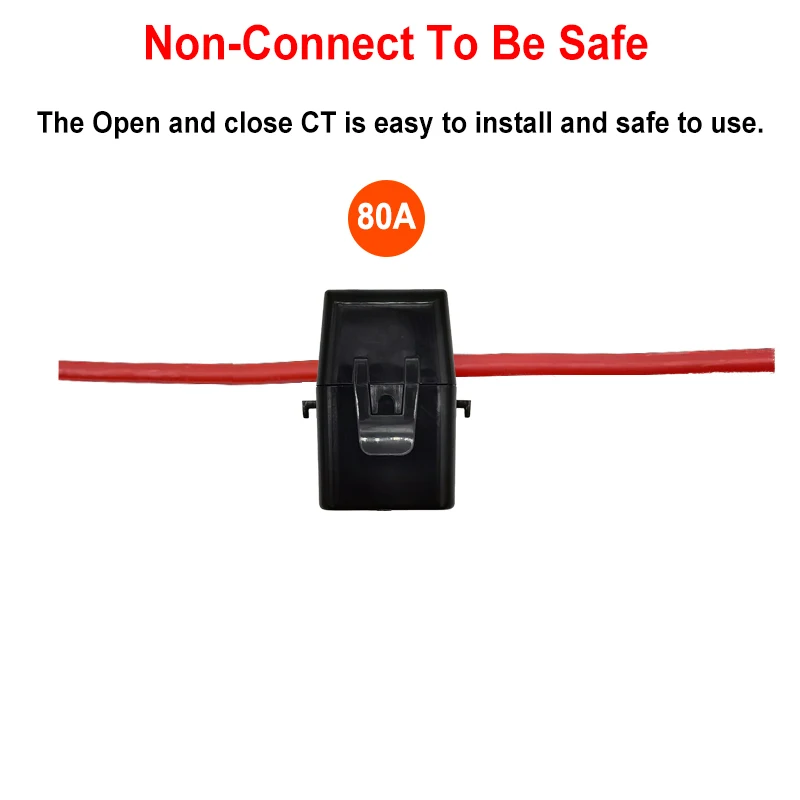
inner diameter of the clamp: 1 cm
semi_Choice: yes
Note:
This device can work with Tuya APP and Smart Life APP.
This device can not work with Home Assistant.
This device is not bidirectional and cannot identify the current produced and consumed.
Inner diameter of the clamp: 1 cm
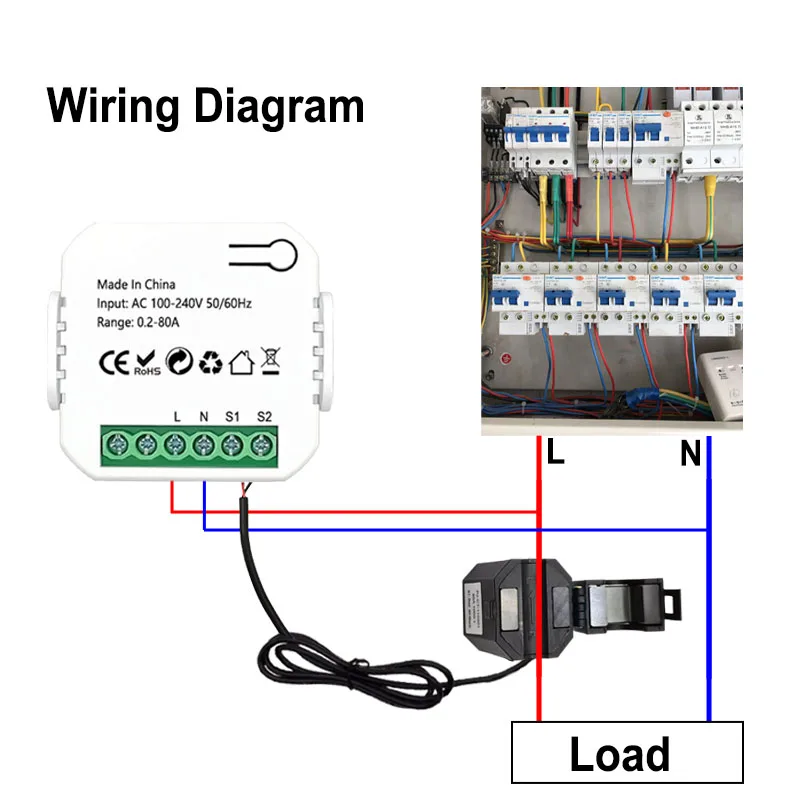
There cannot be both neutral wire and live wire in the clamp at the same time.
The formula for calculating AC power is :P = UI cosθ(cosθ≤1), represents the power factor of the circuit. Only resistive loads, such as incandescent lamps, dryers, heaters, electric water heaters, etc., have a power factor equal to 1.
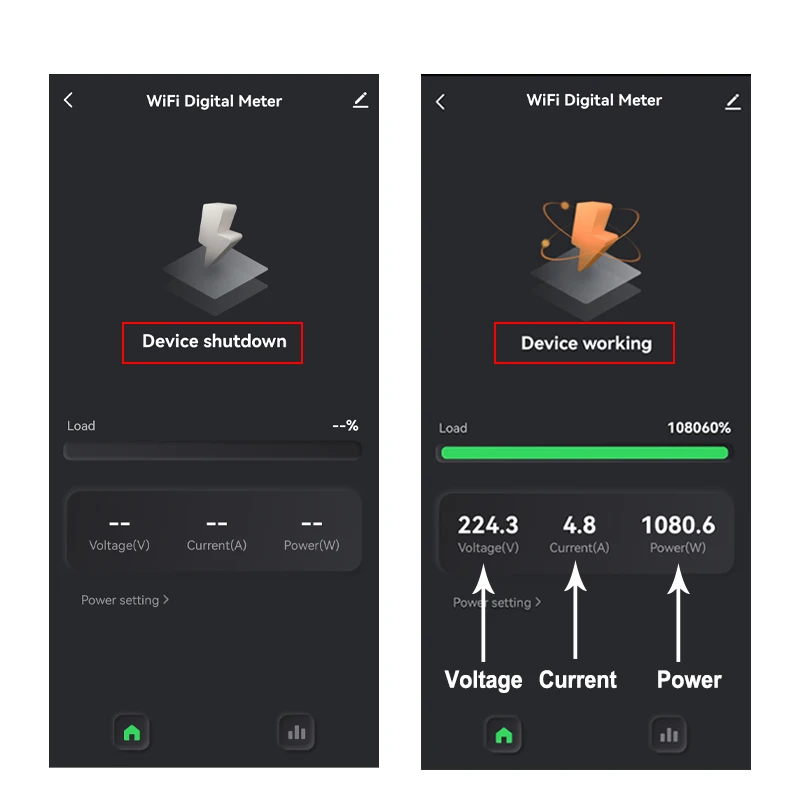
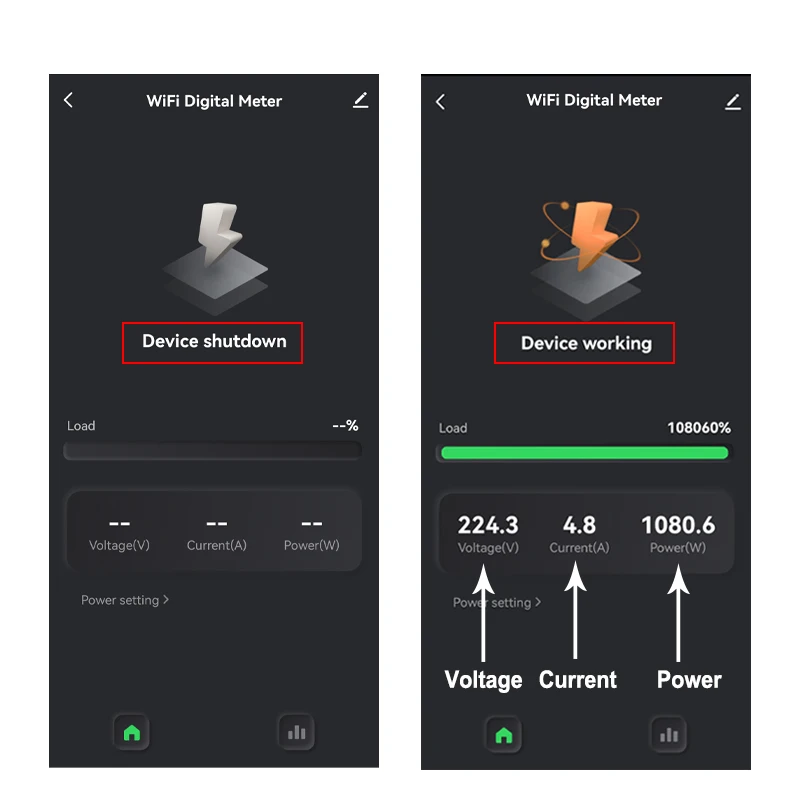
The minimum current displayed by the APP is 0.1A. If the measured current is less than 0.1A, the APP will display ‘Device shutdown’ and no data will be shown.
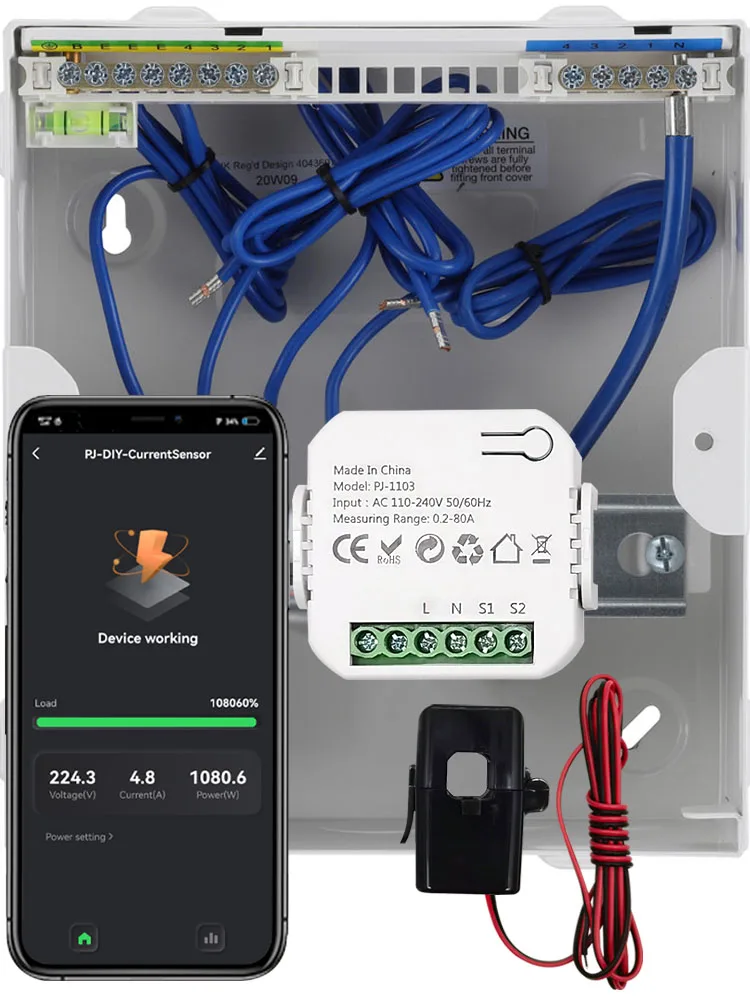
Specifications
In the APP It Can Display:
Hourly Elec. (KWh)
Today Elec. (KWh),
Monthly Elec. (KWh)
Yearly Elec. (KWh)
Current Ele(mA),
Current Power(W),
Current Voltage(V),
Total Ele(KWh)
Technical data:
Rated Voltage:100-240V AC 50/60Hz
Measurable Current Range: 0.2A - 80A
WiFi Frequency:2.4GHZ
Ambient Temperature Range:-10°C ~ 55°C
App Real Time Monitor Energy Consumed KWh. Voltage, Current, and Power, also can Monitor Device Working Status
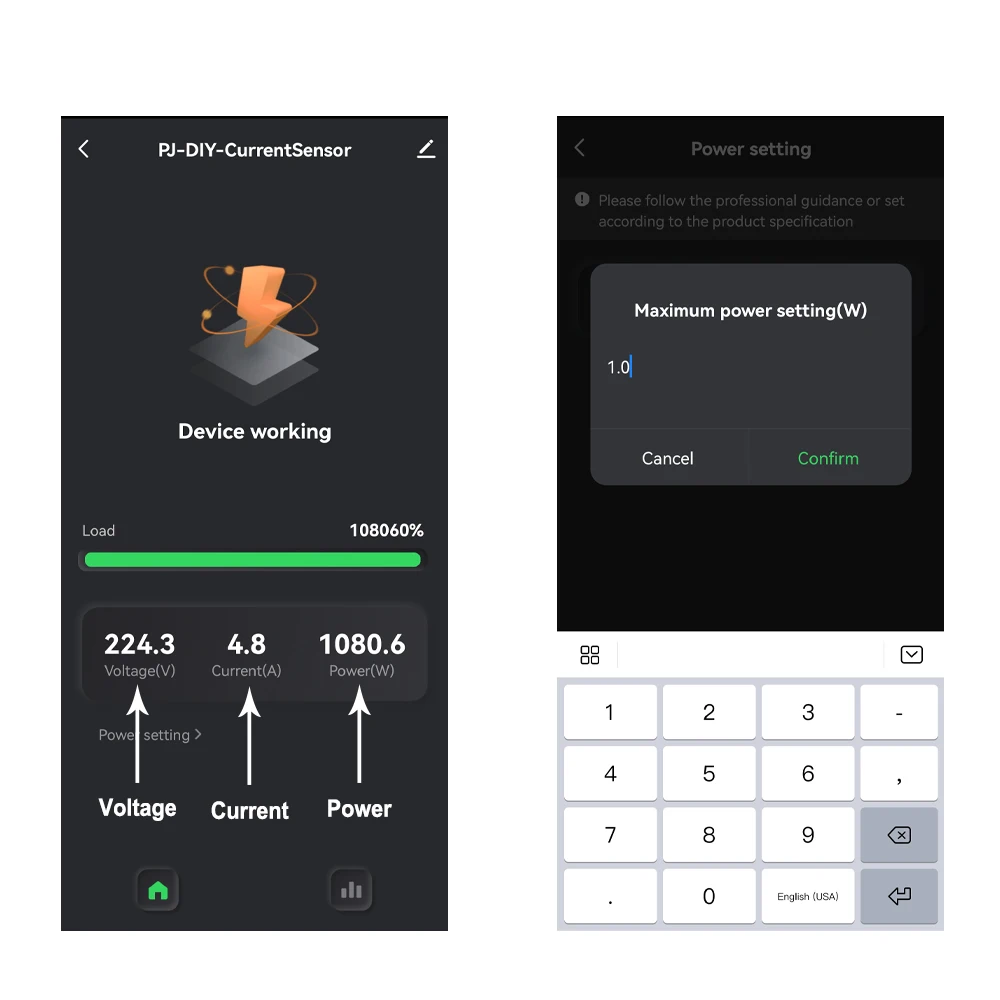
Electricity Statistic
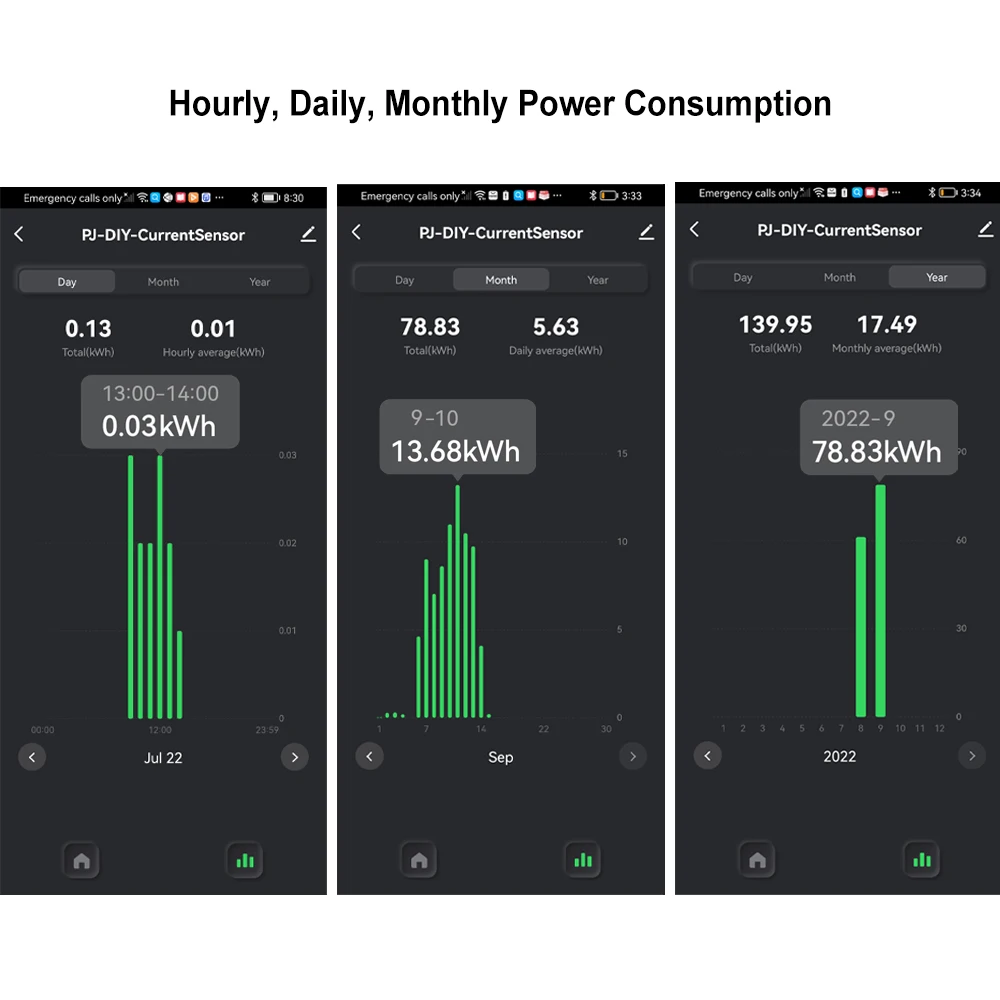
You can view hourly , daily , monthly, Yearly and total KWh Consumed in App.
Monitor Power Usage Percentage from App
You can set power on App, and monitor the power usage percentage.
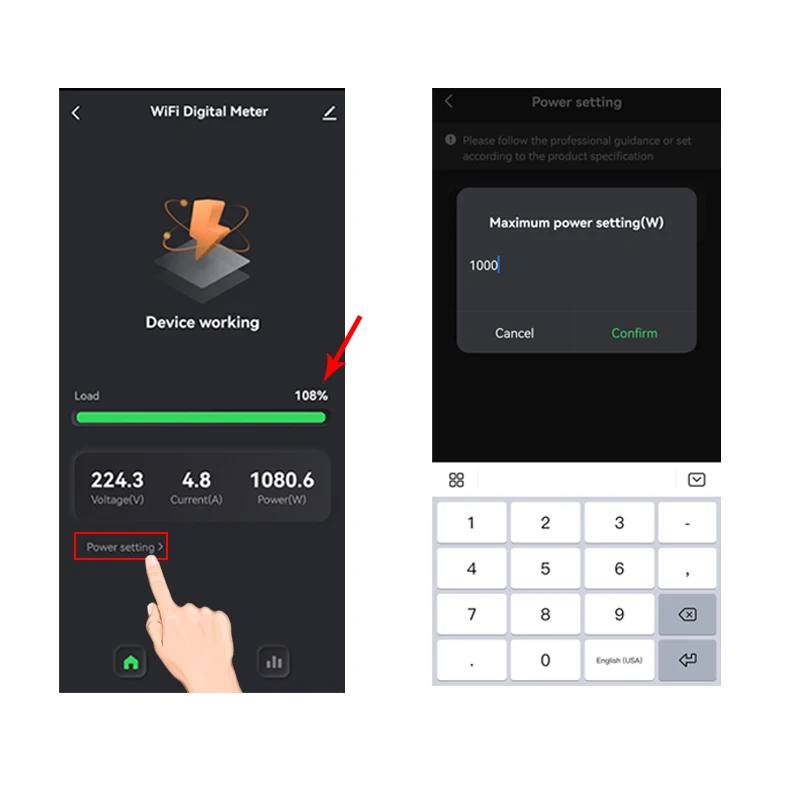
The minimum current displayed by the APP is 0.1A. If the measured current is less than 0.1A, the APP will display ‘Device shutdown’ and no data will be shown.
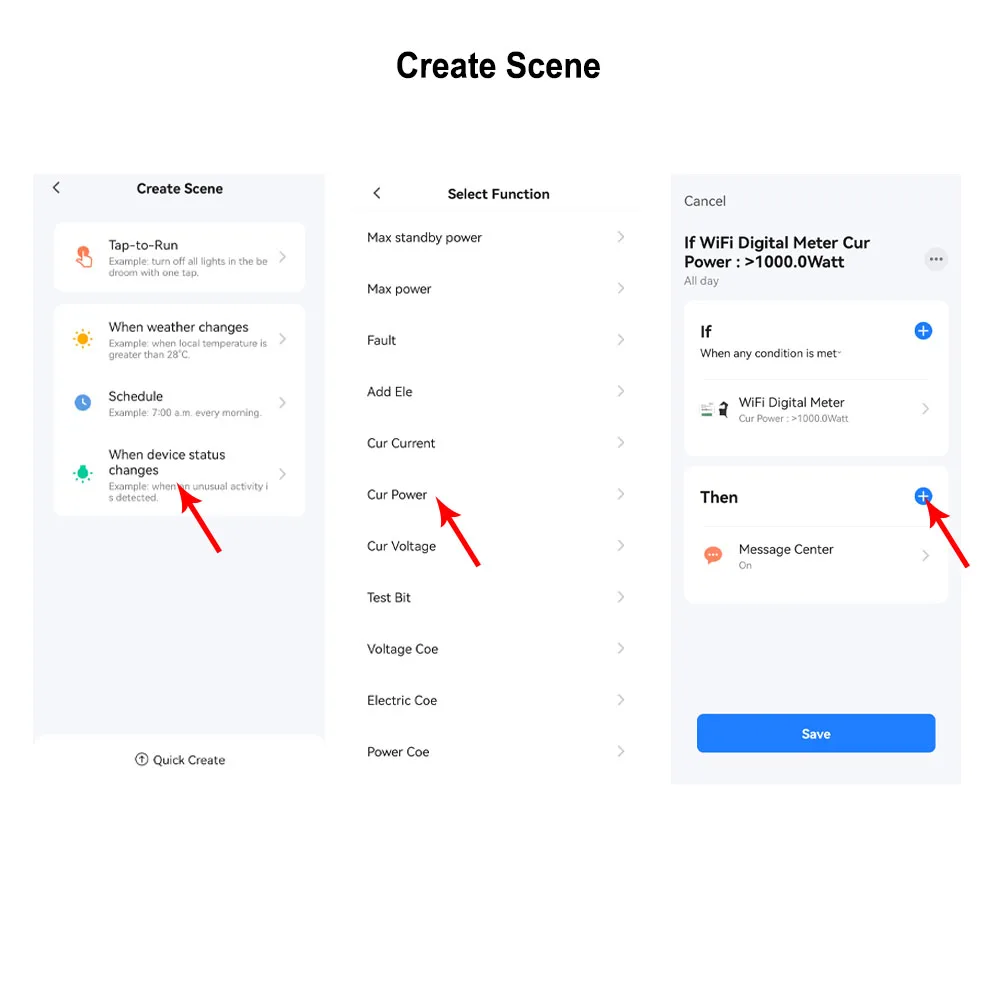
Automation , It allows to make a Scene for this device working with other tuya devices
Set Automation for the Measured Device ,
For example, If Power or Current Is over the Value, then other tuya device starts to work .
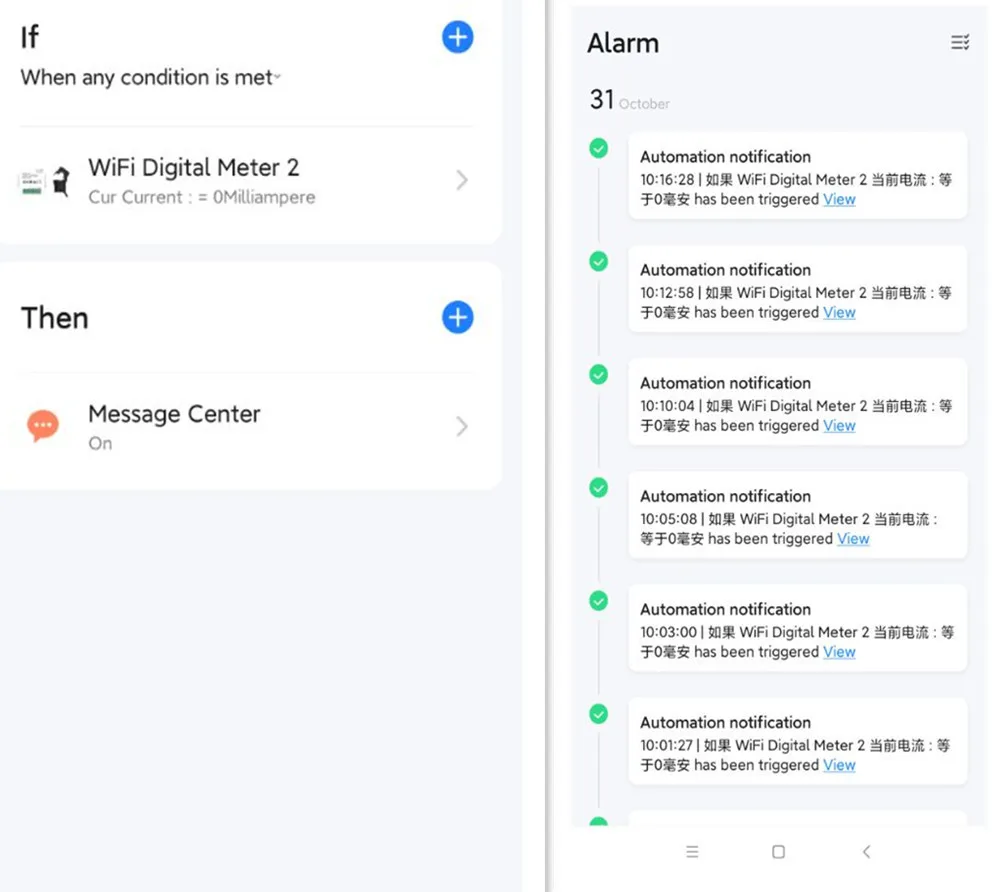
Automation. It allows to make a scene when the device turn off, send a notification
Easy and Safe to Install
Non-Connect to be safe.